


Word Relax: Word Puzzle Games
4.81.17K Reviews
App Specs
- Version
- 2.2.4
- Updated On
- License
- Free
- Downloads
- 100,000+
- Developer
- MASTERMIND WORD GAMES
- Categories
- Word
- Platform
- Android
Screenshots
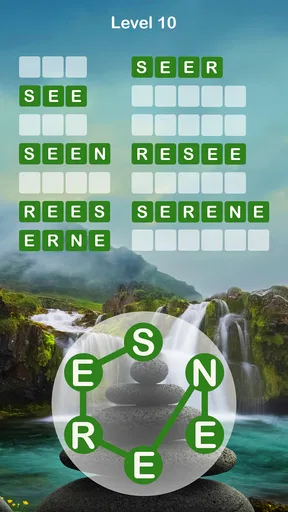
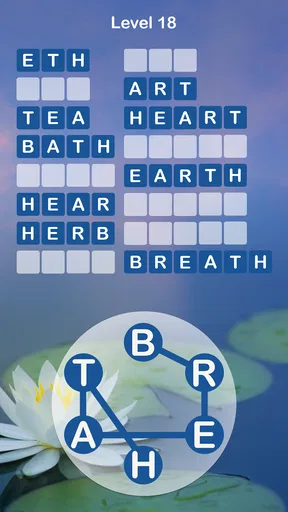
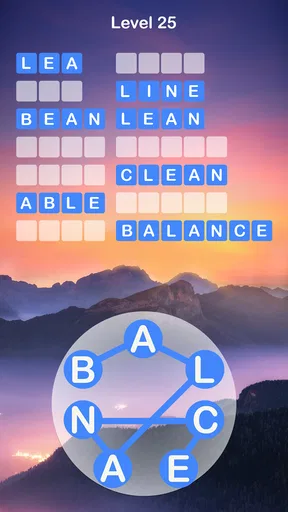
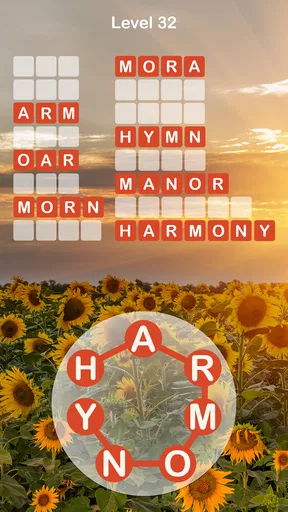
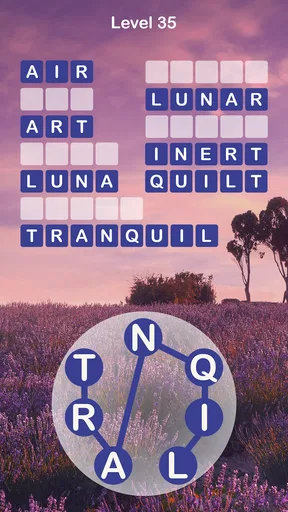
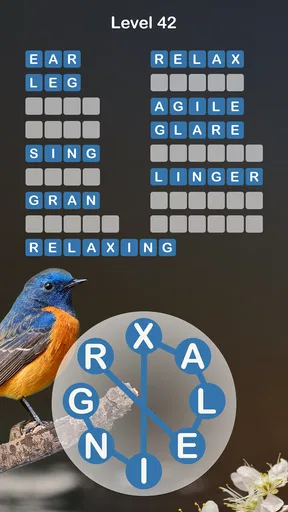
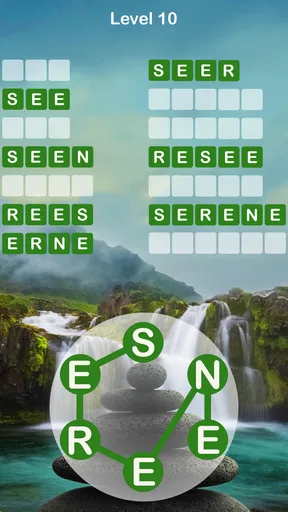
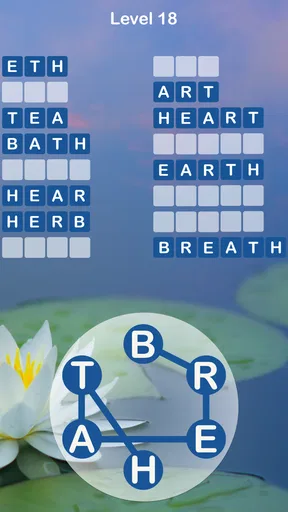
 Analysis by AppCompare
I like word games best when they give me a small, clear problem to solve rather than asking for a long session of concentration. Word Relax: Word Puzzle Games is built around that simple appeal: look at a set of letters, find words, and fit them into the puzzle. In my experience, the pleasure comes less from racing anyone and more from spotting a word that had been hiding in plain sight. That makes it easy to pick up for a few minutes when I want a gentle mental reset.
A letter pool that turns into a small puzzle
The central idea is familiar, but the letter arrangement gives each round a useful little twist. I’m not just filling a crossword from clues; I’m testing combinations from the letters in front of me and working out which answers the puzzle expects. When I get stuck, I can try a different order, look for a short word first, or pause and come back with a fresh eye. That flexibility is the game’s strongest quality: it lets me choose whether a level feels like a quick diversion or a more deliberate word hunt.
The game is free to start, and its Everyone age rating makes it approachable for a broad range of players. MASTERMIND WORD GAMES is the developer, and the game has a 4.8 average from around 6,400 ratings, alongside more than 100,000 installs. Those figures suggest it has found an audience, but the practical appeal is easier to judge in a few rounds: the basic task is understandable quickly, while the search for less obvious combinations can keep a familiar format interesting.
How the word search feels in everyday play
In practice, I’d treat each level as a short attention exercise rather than a test of spelling speed. I scan the available letters, build the words that come naturally, then reconsider the leftovers. A useful habit is to switch between looking for common short words and trying a longer arrangement; sticking to one approach can make the remaining letters seem more mysterious than they are. If the game offers a hint at a frustrating point, I save it until I’ve made a genuine attempt, so it helps me move forward instead of taking away the satisfying discovery.
Best in the gaps of an ordinary day
A realistic fit is a quiet wait: I might open it while the kettle boils or during a few spare minutes before leaving home, play a level, then put the phone down without needing to remember a complicated story or plan. That stop-and-start quality is useful when I want something more engaging than scrolling but don’t have the energy for a demanding game. It can also make a calm evening routine feel a little more active, though I’d choose something else if I wanted a social challenge or a fast, competitive match.
Compared with crossword apps, this is less about interpreting clues and more about spotting words from a defined group of letters. Compared with word-search grids, it asks for active rearrangement rather than visual scanning across rows. That distinction matters: people who enjoy anagrams and letter combinations will likely find the loop more rewarding, while players who want cryptic clues, broad trivia, or head-to-head competition may prefer a different word-game format. It’s a focused pastime, not an attempt to cover every kind of word puzzle.
Small choices that make stuck levels easier
When I’m stuck, I try not to tap for help immediately. I first say the letters quietly or mentally, then look for familiar endings and beginnings; changing the direction of my search can reveal combinations I overlooked. Another useful approach is to enter an obvious word as soon as I see it, because clearing that answer can make the remaining possibilities easier to assess. These are simple habits, but they turn a level from random guessing into a repeatable process and help me reserve hints for a real dead end.
Worth Reading Before You Choose

Flipboard Shows What News Apps Must Do Beyond the Feed

Switching to Android Auto Means Rethinking Your Driving Routine

Google Calendar Makes a Crowded Week Easier to Manage

Ludo King Makes the Most of the Minutes Between Plans

Baby Panda World Brings Quick Play to Modern Phones, but Its Game Library Feels Busy

ESPN’s Live Game View Makes Following Close Games Easier
The dictionary feature adds a learning angle when I encounter a word I don’t know. I see that as a bonus rather than a complete vocabulary lesson: a definition is most useful when I take a moment to connect it with the letters and the context in which it appeared. If I’m playing with a younger family member, I’d use those moments to talk through the word together instead of treating the level as a race. The Everyone rating helps make the game suitable for a wide age range, though a child’s experience still depends on their reading level and patience with puzzles.
Where the relaxed approach has limits
The gentle format is not the same as friction-free play. The original experience notes ads, which can interrupt the calm rhythm, and mentions an option to remove them through an in-app purchase. Purchases range from $0.99 to $49.99 per item, so I’d check the purchase details in the app before spending rather than assuming every paid option does the same thing. The game is free to download, but anyone who strongly dislikes advertising or optional purchases should weigh that trade-off before settling in.
Difficulty is another personal dividing line. A gradual increase can make early rounds welcoming, but later puzzles may feel demanding if I’m playing while tired or only want an effortless distraction. Hints can ease a block, yet limited help works best when I’m comfortable sitting with a puzzle for a little while. If I want a word game that supplies clues, teaches through structured lessons, or lets me compete directly with another person, I’d look elsewhere rather than expecting this letter-combination format to fill those roles.
Who will get the most from it
I’d recommend it to someone who enjoys anagrams, likes a measured pace, and wants a game that can fit around everyday interruptions. It’s also a reasonable choice for a family member who wants a simple shared activity: one person can suggest a word while another checks whether it fits. For a more rewarding session, I’d play without hints for the first few attempts, use a definition as a learning prompt when one appears, and stop after a level if I notice myself guessing mechanically. That keeps the puzzle satisfying instead of turning it into a chore.
On the other hand, I wouldn’t choose it for a commute where I need constant action, for a group looking for lively competition, or for someone who dislikes ads and gets annoyed when a puzzle resists an immediate answer. Those aren’t flaws for every player; they’re simply signs that the game’s calm, solo word search may not match the mood. The current version is 2.1.9, and it requires Android 7.0 or later. It was released on November 30, 2020, and its overall rating of 4.8 from around 6,400 ratings is a useful popularity signal, not a guarantee that its pacing will suit everyone.
My take after settling into its rhythm
First off, let's talk about the setup. Downloading and installing Word Relax was a breeze. Available for both Android and iOS, the app is lightweight, so it won't hog your phone's storage. Once installed, you're greeted with a soothing interface that's easy on the eyes. The pastel colors and calming music are a nice touch, making the whole experience feel like a mini-vacation.
The core of the game is simple yet addictive. You’re presented with a series of letters, and your job is to form words. Sounds easy, right? Well, the challenge ramps up as you progress. The game is divided into levels that increase in difficulty, keeping things fresh and engaging. It's a bit like a crossword puzzle meets a jigsaw puzzle, and it totally hooks you in.
Difficulty, hints, and reasons to continue
One of the things I enjoyed the most is the gradual increase in difficulty. It starts off gently, which is great for warming up your brain, but soon you'll find yourself scratching your head and reaching for the hint button. The hints are useful, but they're limited, so use them wisely!
What sets Word Relax apart from other word games is its variety of features. The app includes daily challenges that keep you coming back for more. Completing these challenges can earn you extra coins, which is always a nice incentive.
Another cool feature is the dictionary integration. If you stumble upon a word you've never seen before, you can tap it to see its definition. This is a fantastic way to expand your vocabulary while having fun. Kudos to the developers for this thoughtful addition!
When a quiet puzzle is the right choice
The game's relaxed pace is perfect for winding down after a long day. Whether you're chilling on the couch or waiting for your morning coffee to brew, Word Relax is the perfect companion. It's also great for all ages, so feel free to hand your phone over to the kids without any worries.
There's something incredibly satisfying about finding that elusive word and watching it fit perfectly into the puzzle. And with thousands of levels available, there's no shortage of content to explore. You won't be uninstalling this one anytime soon!
A few practical caveats
While the game is mostly free, it does come with ads, which can be a bit distracting. However, there's an option to remove them with an in-app purchase, if you’d prefer an uninterrupted experience.
Also, as you progress to higher levels, you might notice that the puzzles become quite challenging. While this is part of the fun for many, it might be a bit daunting for those who prefer a more casual experience. But hey, that's what the hint button is for, right?
Would I keep it installed?
Overall, Word Relax: Word Puzzle Games is a delightful addition to any word game enthusiast's collection. Its combination of relaxing visuals, challenging puzzles, and educational elements make it a standout choice. Whether you’re a seasoned wordsmith or just looking for a fun way to pass the time, this game is well worth a download. So, why not give it a whirl? You might just find yourself pleasantly surprised.
Pros
- Engaging word puzzles enhance vocabulary.
- Offline mode available for on-the-go play.
- User-friendly interface with bright visuals.
- Regular updates with new levels and challenges.
- No intrusive ads during gameplay.
Cons
- Limited free hints
- may need purchases.
- Repetitive levels can feel monotonous.
- Occasional lag on older devices.
- High battery consumption during extended play.
- In-app purchases can be pricey.
FAQs for Word Relax: Word Puzzle Games
What is the main objective of Word Relax: Word Puzzle Games?
Word Relax: Word Puzzle Games aims to challenge players by having them form words from a set of given letters. The objective is to find all possible word combinations, which helps improve vocabulary and cognitive skills. It's a relaxing yet engaging way to exercise your brain while enjoying beautiful backgrounds and soothing music.
Is Word Relax: Word Puzzle Games free to play?
Yes, Word Relax: Word Puzzle Games is free to download and play. However, it does offer in-app purchases for various items such as hints, ad removal, and additional levels. These purchases are optional and can enhance the gaming experience, but players can enjoy the core features without spending any money.
Are there any ads in Word Relax: Word Puzzle Games?
Yes, like many free apps, Word Relax: Word Puzzle Games includes advertisements. These ads help support the developers and keep the game free for users. Players have the option to remove ads through an in-app purchase if they prefer an uninterrupted gaming experience.
Can Word Relax: Word Puzzle Games be played offline?
Absolutely! One of the great features of Word Relax: Word Puzzle Games is that it can be played offline. This makes it a perfect companion for traveling or situations where internet access is limited. Players can enjoy forming words and solving puzzles anytime, anywhere without an internet connection.
Does Word Relax: Word Puzzle Games have any social features?
Yes, Word Relax: Word Puzzle Games includes social features that allow players to connect with friends. Players can compete on leaderboards, share their achievements, and invite friends to join the fun. These features add a competitive edge and make the game more interactive and enjoyable.


